Electricity
Keep the lights on
Buy prepaid tokens or settle postpaid bills for every major distribution company (DisCo). We confirm the meter owner before you pay.
How it works
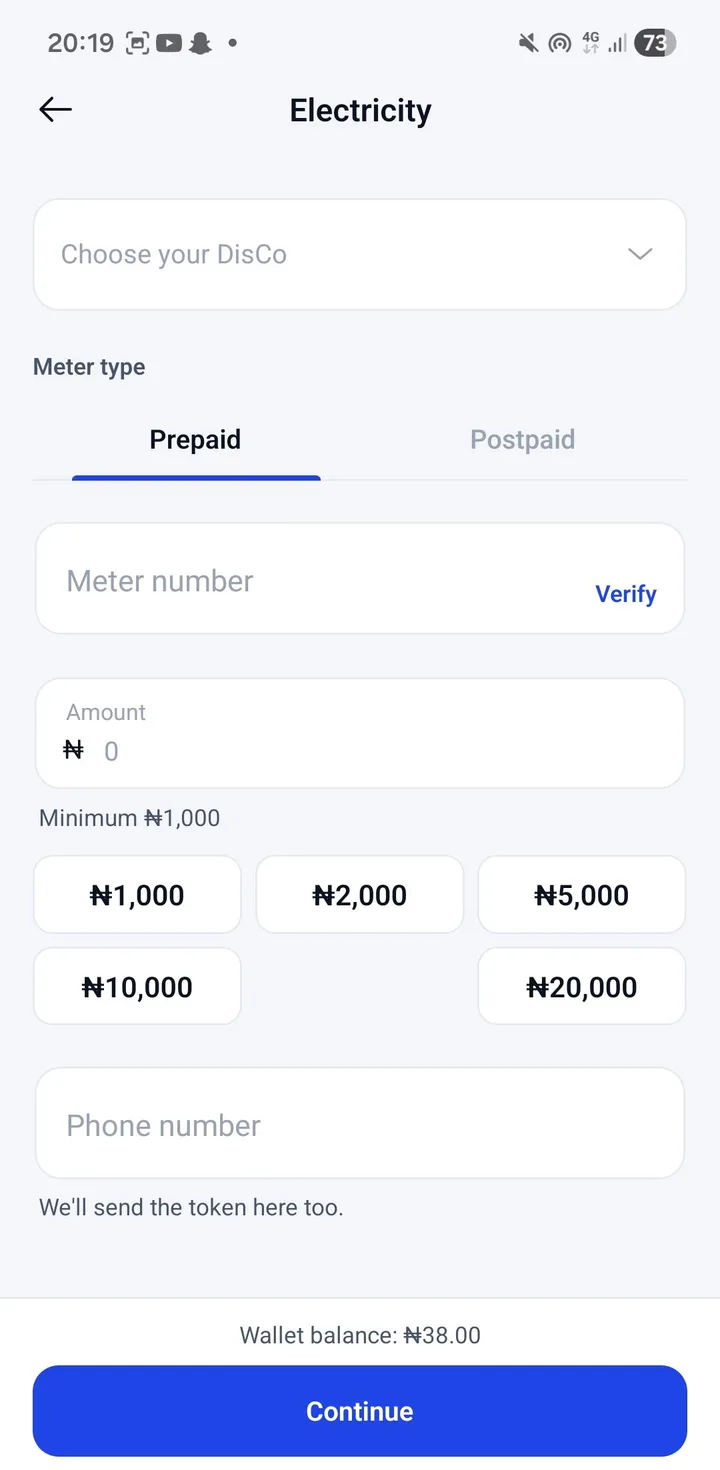
Choose your DisCo and meter type
Prepaid or postpaid, for all major distribution companies.
Enter your meter number
We show the name on the meter so you know it's the right one.
Enter an amount and confirm
Approve with your PIN. Your prepaid token appears on screen straight away.
Every major DisCo
Ikeja, Eko, Abuja, Ibadan, Port Harcourt, Kano, Enugu and more.
Meter check first
See the meter owner's name before you pay.
Prepaid and postpaid
Buy tokens or pay your monthly bill.
Token on screen
Your token is shown the moment you pay, ready to copy with one tap.
Day or night
Buy power at 2 a.m. when the units run out.
Refund if it fails
If the DisCo can't complete the purchase, the money returns to your wallet.
FAQs
How do I load my token?
What's the minimum purchase?
I bought for the wrong meter.

Open your free account
Sign up in about two minutes with your name, phone number and email. Verify your BVN and NIN to get your own account number.